
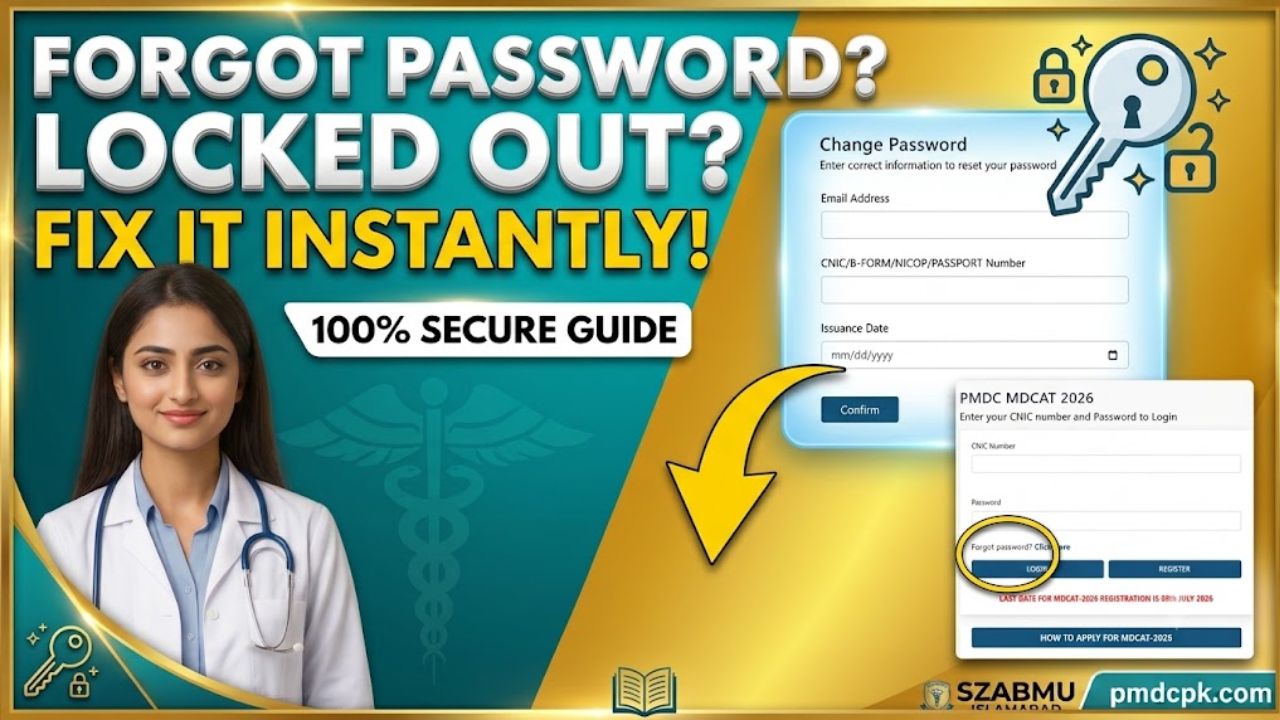
Few things induce more panic for a medical aspirant than trying to log into the official PMDC portal to check registration statuses or download slips, only to be met with an “Invalid Credentials” error. With the active MDCAT 2026 session currently underway and the high-stakes registration system handling thousands of applicants simultaneously, technical glitches or forgotten passwords can easily stall your progress.
If you have forgotten your password or need to reset it for security reasons, the Pakistan Medical & Dental Council (PM&DC) provides a dedicated secure account recovery loop. Rather than panicking or creating a duplicate account—which is strictly penalized by the council—you can reset your login credentials instantly if you possess the correct foundational data.
Navigating the PMDC Account Recovery Forms
The entry test system features two interconnected panels for managing credentials depending on whether you are locked out completely or simply resetting an expired passkey. Let’s break down both pathways cleanly.
Route A: The Initial “Forgot Password” Trigger
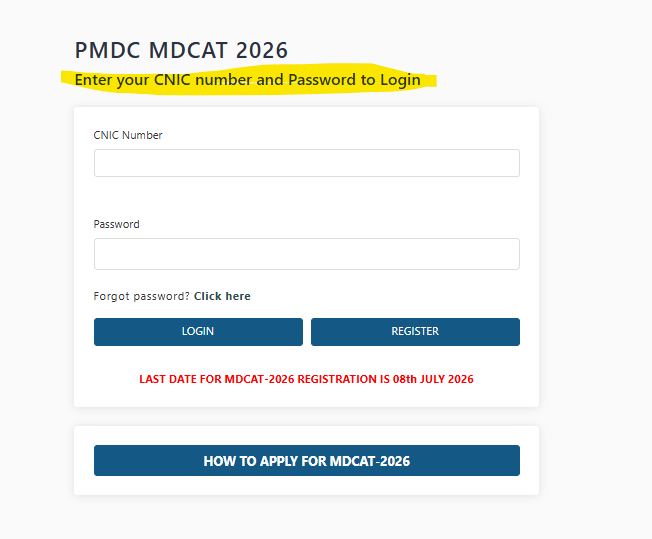
When you attempt to access the primary login interface at mdcat.pmdc.pk , you will see the classic entry blocks for your CNIC Number and Password. Right below these input blocks sits a small text option: “Forgot password? Click here“.
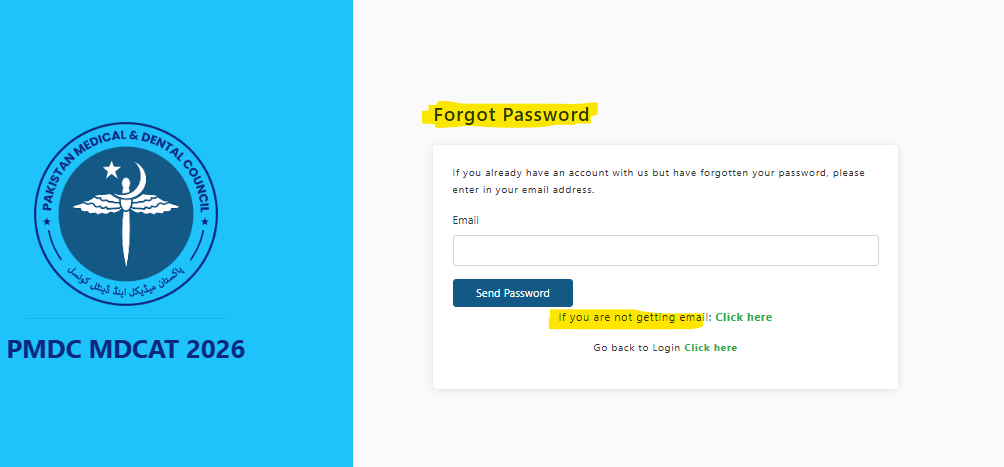
Clicking that specific trigger redirects you to the secondary verification gate displayed. This form states:
“If you already have an account with us but have forgotten your password, please enter in your email address.”
- Input Email: Type the exact email address you utilized when you clicked the “REGISTER” button during your very first signup sequence.
- Dispatch Trigger: Click the blue “Send Password” button. The portal will automatically send an automated reset protocol or token link to that specific inbox.
Route B: The Comprehensive “Change Password” Dashboard
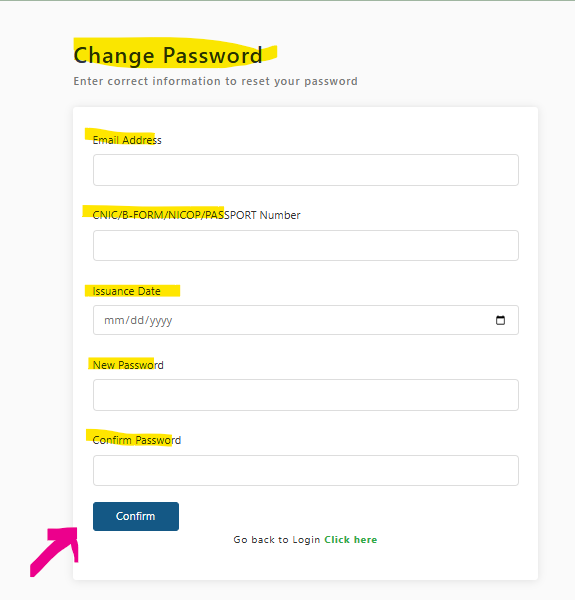
If you are modifying your active credentials or navigating the automated security link sent to your inbox. To successfully update the database, the page requires highly specific identity match parameters:
- Email Address: Your primary communication handle.
- Identification String: Your registered CNIC, B-Form, NICOP, or Passport Number.
- Issuance Date: The precise calendar date (
mm/dd/yyyy) your primary identification card or passport was legally issued by the government (NADRA or Directorate General of Immigration & Passports). - New Security Key: Your fresh chosen password.
- Confirm Password: A matching secondary confirmation string.
Common Troubleshooting Roadblocks & Structural Mistakes
Many students find themselves stuck in a loop where the system refuses to authorize a change of password. This is almost never a portal crash; instead, it is usually caused by entering mismatched tracking data.
1. The ID Card “Issuance Date” Trap
The form shown in screen shot image explicitly checks your registration database history against your national identity record. If you recently renewed your CNIC or upgraded from a child’s B-Form to an adult CNIC, the “Issuance Date” might have changed in NADRA’s master files.
- The Solution: You must enter the exact date that was valid at the time you filled out your initial MDCAT form. If the portal rejects the date, look closely at your physical identity card to ensure you aren’t confusing the “Expiry Date” with the “Date of Issuance.”
2. Missing Recovery Emails
If you use the secondary panel in image and click “Send Password” but see nothing in your inbox after 10 minutes, do not panic. High-volume transactional mail servers often get throttled by major providers like Gmail or Yahoo.
- The Solution: Check your Spam, Junk, and Promotions folders immediately. If the email is completely missing, look at the bottom link on that page which states: “If you are not getting email: Click here”, which routes you to an alternate SMS-based phone verification fallback grid.
3. Password Complexity Restrictions
Entering a simple, plain-text password like 123456 or your first name will often result in a silent form error where the system reloads without updating your status.
- The Solution: Build a robust, distinct combination. Your new sequence should feature at least one uppercase letter, a lowercase letter, a numerical digit, and a special character (such as
@,#, or*).
Data Architecture Reference Grid
To ensure you have your checklist complete before initiating a password swap, keep these variables organized:
| Data Field Form Element | Verification Source | Action Required |
| Identification Entry | Physical CNIC / Passport Booklet | Type precisely without hyphens or spaces. |
| Date Framework | Lower front of CNIC card / Info page | Match the Month/Day/Year digital calendar widget picker. |
| Communication Line | Active Personal Inbox | Keep open in a secondary browser tab to catch token delays. |
| Fallback Link Trigger | Portal Footers | Click “Go back to Login Click here” if you suddenly remember your key. |
Summary
Securing your personal PMDC profile is just as critical as your daily academic revision. Never share your password or your registered CNIC/Passport details with public internet café operators or unverified social media study groups. Keep your credentials safe, finish your core validation steps early, and head straight back to mastering your entry syllabus!